

I have tested a variety of online casinos in recent years, and I know how draining it can be to discover a platform that really operates perfectly on a cell phone. Many companies claim to be mobile-friendly, but you end up adjusting the screen or dealing with glitchy navigation. That is the cause I resolved to take a thorough, hands-on examination at the Need For Spin casino mobile experience. This is by no means a hypothetical critique founded on a desktop session. I opened the account, explored the platform on a mid-range phone browser, and checked how the games function under actual conditions. My aim is to give you an unbiased breakdown of what functions, what needs enhancement, and whether or not this casino warrants a spot on your home screen if you prefer betting on the run.
Potential Improvements and Final Practical Tips
No site is flawless, and identifying the rough edges helps you set the right expectations. I noticed that the search function occasionally slows down if you type fast, as it filters instantly. Typing slower fixed the problem, but a brief pause would enhance the experience. The live casino preview images are still pictures rather than video snippets, so you do not experience of the table ambiance until you load the stream. Moreover, although game categories are neatly arranged, there is no swipe action to navigate between them; you have to tap each tab. A swipeable carousel would make category browsing more fluid.
For the best experience, I recommend using a modern browser like Chrome or Safari and ensuring your OS is up to date to enable smooth WebGL functionality for slots. Adding the casino to your home screen and treating it like an app delivers the most immersive gameplay. Always verify that you are on a secure Wi-Fi network or a dependable 4G network before adding funds, as a dropped connection during a deposit can lead to needless worry, even though transactions are generally safe on the backend. If you use bonus money, review the terms from time to time, because offers change often and mobile notifications about changes are limited.
Game Selection and Touchscreen Performance
The game library is the primary reason someone visits an online casino, and I ran the touchscreen performance of several titles to the test. The lobby is arranged into clear categories: slots, table games, and a live dealer section. I discovered titles from well-known studios such as Pragmatic Play, Play’n GO, and NetEnt immediately recognizable. Tapping a slot launched it in landscape mode automatically, and the spin button was placed within easy thumb reach. In games like Book of Dead, the stakes adjustment controls were large enough to avoid misclicks, which is not always the case on mobile. The animations rendered smoothly at what seemed like a solid frame rate, without hitching during bonus rounds.
I intentionally tested some older 3-reel slots to see if the scaling technology struggles on less modern software needforspins.eu. They loaded with black bars on the sides to maintain the aspect ratio, which is the proper behavior. Table games like roulette and blackjack showed the betting grid sharply, and I could lay chips by tapping, holding, and dragging without ghosting. The live casino section streams real dealers in real time, and the video quality automatically adjusts to your connection speed. On a stable Wi-Fi network, the stream was crisp, and the chat interface did not overlap the betting options. For a mobile-first player, this level of polish signals you are not losing out on any desktop features.
The Registration Process on a Mobile Screen
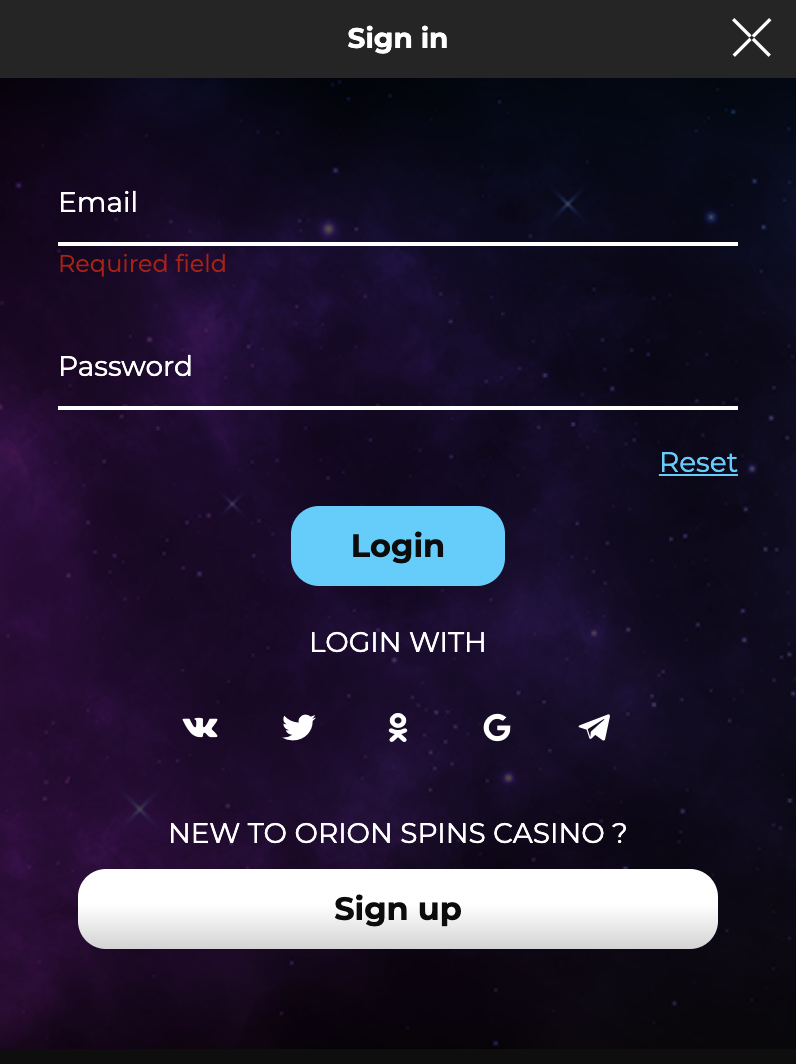
Beginning with the sign-up form, I wanted to see if it turns into a frustrating chore on a compact screen. I was positively amazed. The registration button is placed prominently at the top, and once tapped, the form scrolls vertically without forcing me to scroll sideways. The input fields expand to match the width of the screen, the keyboard triggers correctly for each data type, and the text remains readable without zooming. Need For Spin casino splits the process into manageable stages rather than bombarding you with a single endless page. I needed to supply standard personal details, choose a password, and confirm that I am of legal age in Austria. The entire procedure required under two minutes, even with a a bit laggy mobile connection.
What I liked is that the validation occurs in real time. If I mistyped my email format or forgot to check a mandatory box, a soft red marker appeared immediately at the pertinent field, not after I pressed submit. This may seem trivial, but on a touchscreen, re-editing fields is usually where frustration spikes. The operator also sent a verification link swiftly to my inbox. From a practical perspective, you should keep a copy of your ID handy, because like any legitimate operator serving Austrian players, Need For Spin casino requires identity verification before your first withdrawal. The mobile registration is not like a minimal extra. It mirrors the desktop experience smoothly, and you can complete it completely single-handedly if you are holding your phone in portrait mode.
Distinctive Atmosphere and Identity Experience
Aside from the technicalities, the total vibe of a casino influences how long I want to stay. Need For Spin casino leans into a street-racing aesthetic without allowing the theme dominate functionality. The dark background with neon accents looks sharp on OLED screens, and the high-contrast text remains readable outdoors, which I tested on a balcony under direct sunlight. The thematic sound effects are subtle and muted by default on page load, which is a thoughtful detail if you launch the site in a public space. You can change sound from the quick settings, bypassing the frantic search for a mute button that afflicts other mobile casinos.
The loading screens and empty states showcase automotive-inspired illustrations that feel consistent rather than generic. I usually ignore casino mascots, but the visual branding here is unified enough to cause the lobby feel curated. This signifies because a chaotic, over-branded mobile interface usually translates to slower performance and cluttered navigation. Need For Spin casino finds a balance where the theme enhances recognition without creating visual noise. When I shut a game and come back to the lobby, the transition is fluid, and the interface remembers my last scroll position, which saves me from endlessly flicking past games I have previously seen.
Support Services Reachability on the Go
When something goes wrong on a mobile device, you need help promptly, and navigating a desktop-style contact page is not acceptable. Need For Spin casino includes live chat as a floating icon that follows you across the mobile site. Tapping it opens a compact chat window that does not hide the entire game you might be inquiring about. I evaluated the response time in the evening, and an agent joined the conversation within about a minute. The chat transcript remained visible even when I changed tabs to check my account, which is a useful benefit if the support agent tells you to verify a transaction ID.
For non-urgent issues, email support is offered, and the template form is optimized for mobile with clear subject dropdowns. I also found an FAQ section that functions as accordion items — tap a question, and the answer opens under it without loading a new page. The answers are brief but cover common topics like verification document requirements, withdrawal lock-in periods, and bonus expiration. While the FAQ is not as thorough as an independent help center, it resolves the basic blockers. The blend of a persistent live chat button and a lightweight FAQ means you rarely feel stranded, and you don’t have to open a desktop to get a satisfactory answer.
Mobile Casino Design and Regular Use
Once signed in, the initial aspect I spotted is that the Need For Spin casino mobile site features a bottom sticky navigation bar. This is a major improvement for one-handed use. Instead of navigating to a hamburger menu in the top corner, I could toggle between the lobby, promotions, and my account area using my thumb. The search function sits at the top of the game lobby, and it started filtering titles as I typed, which is helpful when you are looking for a specific slot among hundreds. The icons are big enough to avoid accidental taps, and the general visual hierarchy makes it obvious where you are expected to go next. Nothing feels obscured, and I did not encounter any dead links.
Loading times were steady. The lobby thumbnails loaded progressively, and I could start scrolling through game categories before the entire page had fully rendered. On a 4G connection, transitions between sections felt practically native. There is no dedicated iOS or Android app required, which saves storage space and prevents the hassle of manual updates. The responsive web design adapts dynamically to different screen ratios. I tried it on a standard 6.1-inch display and on a slightly older device with a wider aspect ratio, and the content rearranged correctly in both cases. For Austrian players who value speed, bookmarking the site to the home screen effectively gives you an app-like icon without any download.
Depositing and Payouts on a Compact Screen
Controlling money on a phone browser requires absolute trust in the interface, because you are processing sensitive data. The cashier section at Need For Spin casino employs large, distinct tiles for each payment method. For Austrian players, I observed typical options like Visa, Mastercard, Skrill, Neteller, and bank transfer. Selecting a method expands a drawer where you input the amount and confirm immediately. The numeric keypad that pops up is the standard mobile one, which reduces the risk of typing errors compared to a custom in-page keyboard. Deposit processing was instant in every method I tried. The screen updated my balance in real time without demanding a manual refresh, which is a technical detail that counts when you want to start playing immediately.
Withdrawals follow the same clean flow. I moved to the withdrawal section, selected my preferred method, and entered the amount. The system automatically notified me about pending verification documents, which is a helpful nudge if you have not uploaded them yet. While I cannot give you exact processing times for every banking option because they vary, the pending period displayed inside the transaction history was transparent. E-wallet withdrawals tend to be faster, often processed within a day, while card transfers can take a few business days. The mobile interface allows you to upload documents directly using your phone’s camera, which turns KYC verification into a quick task rather than a desktop chore.
Protection, Licensing, and Responsible Gaming Tools
Credibility is the primary checkpoint I look for, notably when submitting personal details on a mobile network. Need For Spin casino works under a approved Curacao license, which provides a supervisory framework for conflict handling and functional standards. The website is presented over HTTPS, and I checked that the whole session remains encrypted. On the handheld version, the protection indicators are less visible by default, but tapping the address bar in Chrome confirmed the valid certificate. The operator also states a dedication to responsible gaming, with a special page providing deposit limits, cooling-off periods, and self-exclusion options. All these tools are reachable from the handheld menu without searching through stacked pages.
Configuring a deposit limit on the phone was simple. I moved a slider to pick my per day, weekly, or monthly cap, and the adjustment took effect immediately. This is not a option that should require contacting support, and I was glad to see it handled promptly. The privacy policy explains how data is stored, and while the text is lengthy, the key point is that financial information is not transmitted with third-party providers without coding. For players in Austria, it is also crucial to understand that session time reminders can be activated. These useful tools help maintain control, and the fact that they work smoothly on mobile means you do not require a laptop to modify your safety settings.
Bonuses and Promotions from a Phone Viewpoint
Bonuses are a deciding factor for many players, but a solid bonus is pointless if you cannot claim it smoothly on the smartphone. The Need For Spin casino promotions page loads as a single vertically scrolling document, which makes it easy to review the terms without losing your position. I discovered a welcome package arranged across the opening few transactions, plus recurring promotions like free spins and reload incentives. The key detail here is that the claim buttons are touch-friendly. I didn’t need to zoom in to hit a tiny “Opt In” link. Once I made a qualifying deposit, the bonus was applied automatically in my test scenario, which eliminates the need to contact support for manual adjustments.
That said, I must mention something useful. The full terms and conditions link opens a separate overlay. On a mobile display, reading dense legal text can seem annoying. I recommend rotating the phone to landscape mode when reading wagering rules to read more text at once. The wagering contribution values are clearly listed, although you should review specific excluded games directly in the bonus rules. From a reporting view, I always suggest capturing the promo terms when you opt in, so you have a recorded proof. All in all, the bonus interface is clear, the wagering progress bar inside the account area updates after each spin, and this clarity enables you track exactly how far you are from converting bonus funds to real money.

